
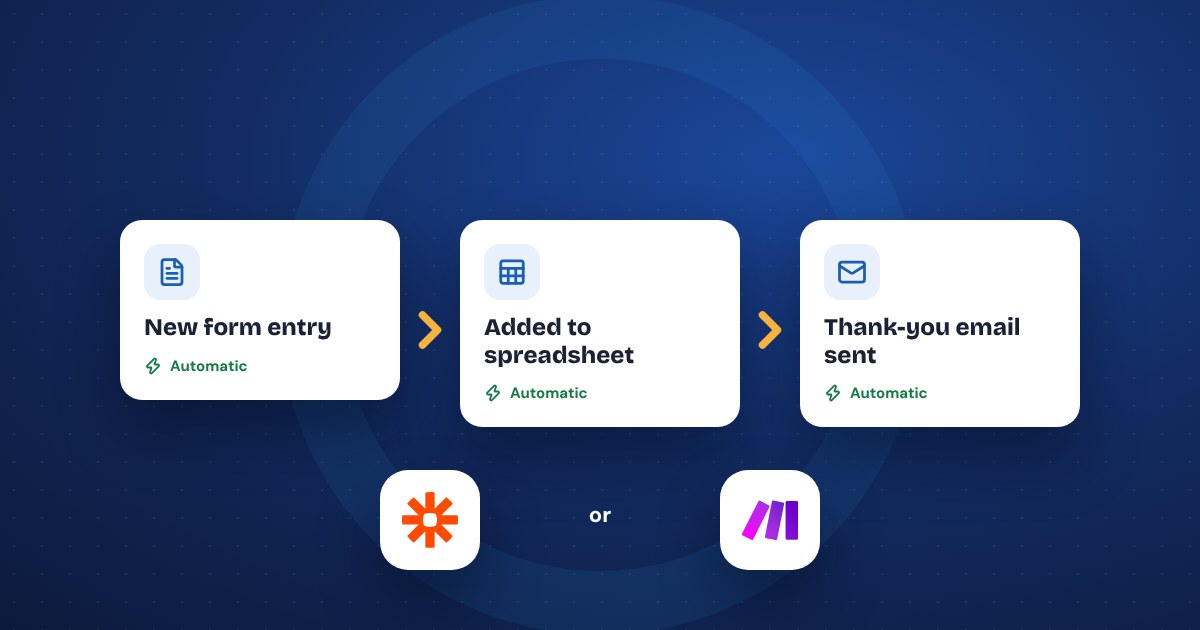
Small business automation means setting up your tools so routine tasks happen on their own: a new lead gets a reply, an overdue invoice gets a reminder, a booking gets a confirmation, a weekly report lands in your inbox. Start with one task you do the same way at least a few times a week, use the automation already built into the software you pay for, and measure the time it saves before you automate the next one.
Signs a task should be automated
Not everything should be automated. The good candidates have a few things in common:
- It happens often. Daily or weekly, not twice a year.
- It follows the same steps every time. If you could write the steps on an index card, a tool can probably do them.
- It moves information from one place to another. Copying a form entry into a spreadsheet, retyping an order into your accounting software, forwarding an email to the right person.
- It gets forgotten when you're busy. Follow-ups, reminders and review requests are the classic examples.
- Getting it slightly wrong isn't a disaster. Start with tasks where a mistake is easy to spot and fix.
Bad candidates are tasks that need judgment, change every time or involve a sensitive conversation. Pricing a custom job, handling a complaint and deciding which customer to drop stay with a person.
Leads and follow-ups
This is usually where automation pays for itself first, because speed wins jobs. The business that replies first often gets the work.
Tasks you can stop doing by hand:
- Instant reply to new inquiries. When someone fills out your contact form, they get an email right away that says you got it, when you'll call, and what to have ready.
- Adding leads to one list. Form entries, Facebook lead ads and quote requests all land in the same spreadsheet or CRM, instead of three inboxes.
- Alerting the right person. A text or chat message to whoever handles that type of job.
- Follow-up reminders. If a quote hasn't been answered in three days, you get a reminder to call, or the customer gets a short, polite check-in.
- Review requests. A few days after a job is marked done, the customer gets a link to leave a review. Send it to every customer, not only the happy ones. Google's rules ban screening people first.
Keep the first-reply email short and human. It should sound like you wrote it, not a robot.
Invoices and payment reminders
Chasing money is the job almost every owner puts off. Most invoicing and accounting tools already do this if you turn it on.
- Recurring invoices for monthly clients go out on the same date without anyone touching them.
- Payment reminders go out before the due date, on the due date and a week after. Write them once, in your own words.
- Receipts and thank-you notes go out when a payment comes in.
- Payments recorded automatically when customers pay online, so nobody retypes them into the books.
Check the settings in the invoicing tool you already use before buying anything. The features are often there, switched off.
Scheduling and confirmations
Phone tag and no-shows cost time and money. Online booking fixes most of it.
- Self-booking. Customers pick a time from your real availability, and it lands on your calendar.
- Confirmations and reminders by email or text, a day before and an hour before. Get the customer's OK before you text them, and include a way to opt out.
- Rescheduling links in every reminder, so people move appointments instead of skipping them.
- Intake forms sent with the confirmation, so you have the details before you show up.
- Prep messages for service businesses: parking, access codes, what to clear out of the way.
If you run short-term rentals, the same idea applies to check-in instructions, door codes and checkout reminders, timed to each reservation.
Reports and data entry
The quiet time-wasters are the copy-and-paste jobs nobody thinks about until they add them up.
- Weekly numbers in your inbox. Sales, new leads, bookings and website visits, pulled together every Monday morning instead of logging into four dashboards.
- Orders into accounting. Online sales flow into your bookkeeping software without retyping.
- Form entries into a spreadsheet with a date, source and status column.
- File organizing. Email attachments like signed contracts or receipts saved to the right folder automatically.
AI makes some of these more useful. An automation can pass a long email or form entry to an AI assistant to summarize, sort or draft a reply, then hand the draft to a person to check. Keep a person in the loop for anything a customer will see.
Which tools to use
Start with what you already pay for. Your CRM, invoicing software, booking tool, email platform and store platform almost all have automation built in. Built-in features are the most reliable, because there's nothing extra to break.
When you need two tools that don't talk to each other, connector tools fill the gap. The two most common, as of late 2026:
- Zapier. Its pricing page lists a free plan with 100 tasks a month and two-step automations only. Paid plans start at $19.99 a month on monthly billing, with lower prices if you pay yearly. Easiest to learn.
- Make. Has a free plan with 1,000 credits a month and paid plans above it. Cheaper for high volume and more flexible, but a bit harder to learn.
For one or two simple automations, the free plans are often enough. If you're choosing AI assistants to plug into these, our guide on AI tools worth paying for covers that side.
Starting small and measuring time saved
The fastest way to fail at automation is to automate ten things in a weekend. Start with one.
- Pick the task. The one you do most often and like least.
- Time it for a week. Write down how many times you did it and how long each took. Ten minutes, fifteen times a week, is two and a half hours.
- Write the steps. What starts it, what happens, where the information goes, who gets told.
- Build it and test it on yourself. Fill out your own form. Book your own appointment. Pay your own test invoice.
- Watch it for two weeks. Check that every run worked. Fix the odd cases.
- Then add the next one.
Keep a simple list of every automation you've set up, what it does and which accounts it uses. When something breaks or a staff member leaves, that list saves hours. If you'd rather have help mapping out what to automate first, that's part of our AI consulting work.
The short version
- Automate tasks that happen often, follow the same steps and move information from one place to another.
- Start with lead replies, invoice reminders and booking confirmations: they save time and win business.
- Check the automation built into the tools you already pay for before adding Zapier or Make.
- Keep a person in charge of anything that needs judgment or goes to an upset customer.
- Automate one task, measure the time saved, then do the next.