
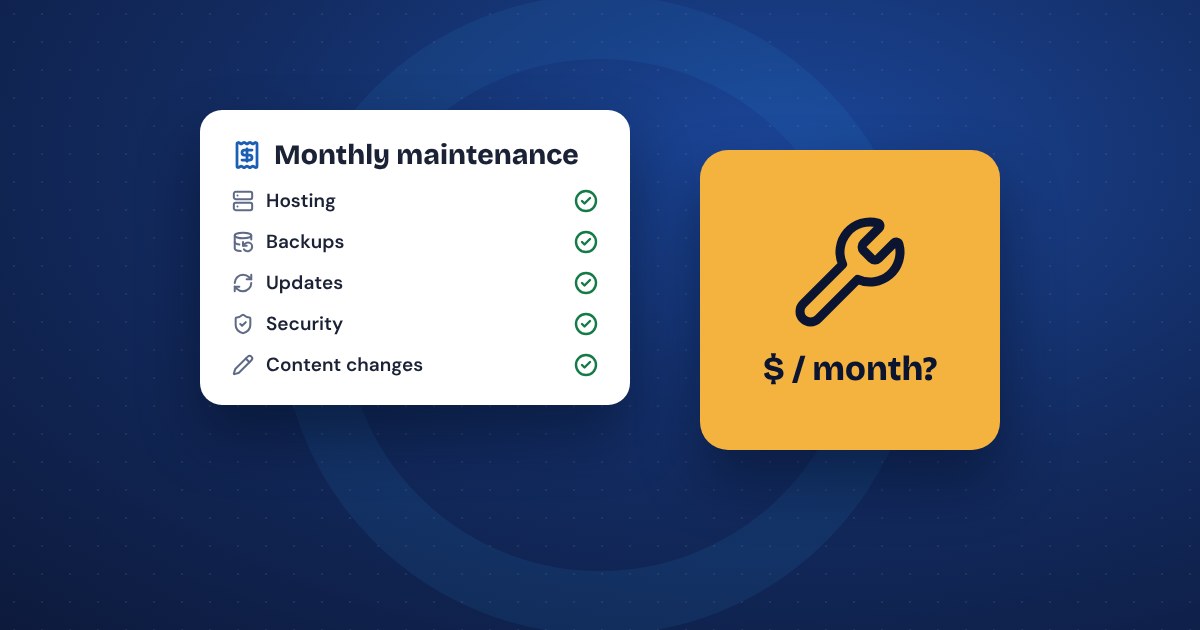
For most small business websites, a basic maintenance plan costs somewhere between $25 and $150 a month. Plans with regular content work or faster support, and plans for online stores, often run a few hundred dollars a month or more. What matters more than the price is what's included: updates, backups, security checks, and who fixes things when they break. A cheap plan that only covers hosting isn't really website maintenance.
What website maintenance actually covers
"Maintenance" means different things to different providers, which is why prices are hard to compare. A real maintenance plan usually includes:
- Software updates. The site's core software, theme and plugins get regular updates, many of them security fixes.
- Backups. Copies of the site saved on a schedule, stored somewhere other than the site itself, and tested so you know they work.
- Security monitoring. Watching for malware, suspicious logins and known weak spots, and cleaning up if something gets in.
- Uptime checks. An alert when the site goes down, so someone fixes it before your customers tell you.
- Hosting. Some plans include it, some don't. Ask.
- Content changes. New hours, prices, photos, staff or a holiday notice. Some plans include a set number of minutes or hours each month, some include unlimited small changes, and some charge for every one.
- A report. A short note each month on what was updated and anything that needs your attention.
Things that are usually not included: new pages, redesigns, new features, writing new content and marketing. Those are separate projects or separate services.
Typical price ranges
These are commonly quoted US ranges. They vary by provider, by the type of site and by how fast they promise to respond.
- Basic plan for a small brochure site: often $25 to $150 a month. Updates, backups, security and maybe a little content time.
- Plans with regular content changes or faster response: often $150 to $500 a month.
- Online stores: usually more, often $300 to $1,000 a month or higher, because broken checkout costs real money and there's more to test after every update.
- Pay as you go: some developers charge only when you call, often by the hour. Cheap in a quiet year, expensive the day something breaks.
For one real example, our own management at theNetStuff costs $15 a month for a one-page site and $25 a month for up to 5 pages, including hosting and unlimited content updates, as of November 2026. Your site, your provider and your needs will change the number.
Ask what's included before you compare prices. A $30 plan that covers updates and backups is a better deal than a $20 plan that only covers hosting.
What happens when sites aren't maintained
Skipping maintenance usually works fine for a while. Then something happens all at once:
- Out-of-date software is one of the most common ways small sites get hacked. Owners usually find out when Google shows a warning, customers say the site is sending them somewhere strange, or the host shuts it down.
- An update eventually breaks something: the contact form, the layout on phones or the checkout. Without backups, fixing it can mean rebuilding pages.
- The contact form stops sending emails, and nobody notices for months. Those were leads.
- Old hours, prices and staff stay up. Customers notice before you do.
- The longer updates wait, the harder they are. A site that's three years behind may need a rebuild instead of a few clicks.
Cleaning up a hacked or broken site often costs more than a year or two of maintenance. That's the real comparison.
Doing it yourself vs a maintenance plan
Doing it yourself is a fair choice if you're comfortable with the tech and will actually do it. Here's what that takes:
- Check for updates every week or two, and run them.
- Take a backup first, and know how to restore it.
- Test the contact form, key pages and checkout after updates.
- Watch for security alerts from your host.
- Renew the domain and keep the payment card on file current.
Most owners mean to do this and stop after a few months. If that sounds like you, a maintenance plan is cheaper than the cleanup.
If your site is on a do-it-yourself builder like Wix or Squarespace, the platform handles software updates and security for you. You're still responsible for content, your forms and your domain. Our guide on Wix vs WordPress vs a managed website explains who handles what on each.
Questions to ask a provider
- What exactly is included each month, and what costs extra?
- How often do you run updates, and do you test the site afterward?
- How often are backups taken, where are they stored, and how fast can you restore one?
- If the site gets hacked, is the cleanup included?
- How do I send changes, and how fast are they usually done?
- How quickly do you respond if the site goes down?
- Is hosting included? Is the domain in my name?
- Is there a minimum term, and what happens to my site if I cancel?
A good provider answers these in plain English without having to check. If you get vague answers, keep looking.
Common questions
Do I need maintenance if my site never changes? Yes, if your site runs on software that gets updates, such as WordPress. The content may not change, but the software underneath does, and security fixes don't wait.
Is maintenance the same as SEO? No. Maintenance keeps the site safe and working. SEO is the work of getting it found on Google. Some providers bundle the two, so check what you're paying for.
Can my web host handle it? Hosts often handle server security and some backups. Most don't update your site's software, test your forms or make content changes.
The short version
- Expect roughly $25 to $150 a month for a basic plan on a small site, more for content work, stores and faster response.
- Compare what's included, not just the price. Updates, backups and security are the core.
- Skipped maintenance usually ends in a hack, a broken form or a rebuild.
- Doing it yourself works if you'll really do it every couple of weeks.
- Ask about backups, cleanup, response time and what happens if you cancel. See our website maintenance page for how we handle it.